
Funny google tricks Secrets: Google is breathtaking and a step forwards search engine among all the others. With Google hidden tricks and secrets, you can enjoy and play with Google instead of just using it as a Search engine. Here are some of the hidden Google tricks which will help you to find shortcuts and results will be displayed in a much faster and interesting way.

Google tricks list That You Never Knew Existed | Funny Google Magic Tricks and Secrets –
Techweed presents you 27 coolest Google hidden tricks and secrets which will surprise you.
-
Google News:
 All the latest news that is happening across the world is updated time to time. Any type of news like international, national, entertainment, sports etc is updated in Google news. This Google trick will be of your use if you want to search any latest or viral news, just simply tab over to the news tab and you will find all the news that is happening in and around the world.
-
Google trends:
 The entire trending topic that is happening on the internet is displayed by just typing “Google trends” in the Google search bar. Trending and latest trends in many categories are displayed country wise. Google trends is the best place where you will find the latest trends taking place across the world in different categories like health, sports, entertainment, news, politics etc.
-
Google timer:
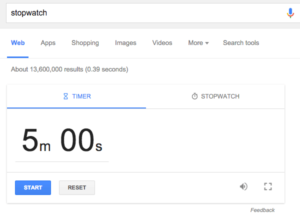 You can use Google as your personal timer by setting the required time you want. Just type “set timer to require time” in the search bar. Example: “set timer to 1 minute” and press enter. You will see the timer getting started and once the time is completed, it will give an alert when the duration is over.
-
Google voice search:
 You would have noticed that at the right corner of Google search bar, there is a mic button present. It is used for voice search which helps the user to search with their voice input instead of typing. it recognizes what we have spoken and displays the result accordingly. And even speaks out the results appeared to us in most of the cases.
-
Google define:
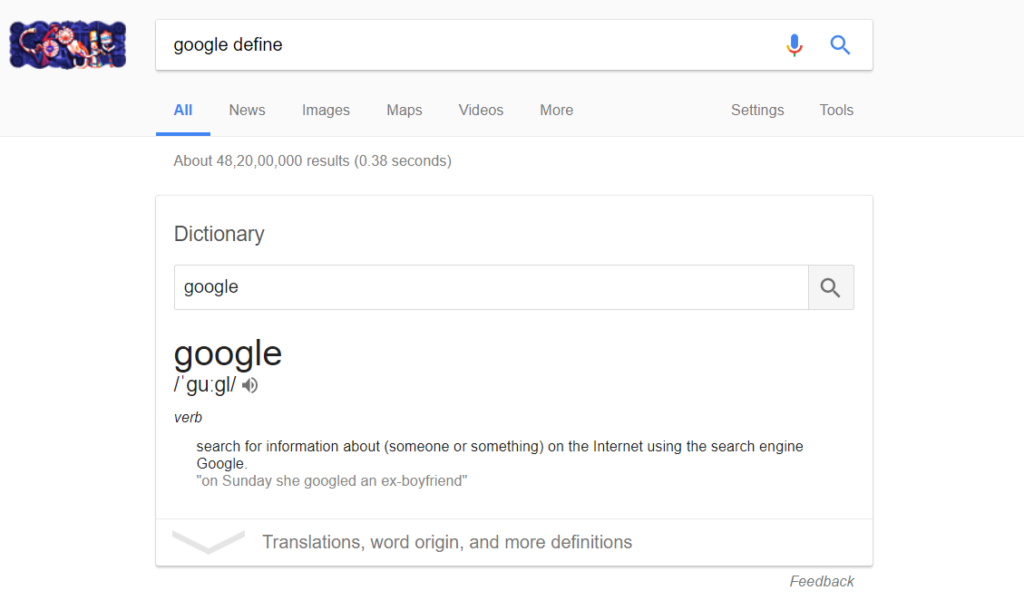 If you want to find any definition of a word instantly, you can just type “Define query” in the search bar. The query includes the word for which you want to search the meaning. Example: “define arcade”. The definition of arcade will be displayed below.
-
Search contact in Google:
 This is a mobile or smartphone feature. When your Google account is connected to your android device, then you can search contacts in Google. Just simply type “Contact name number” in the search bar and press enter. Example: “Ramu number” and press enter. The result will display the contact number of Ramu.
-
Calculate sunset or sunrise:
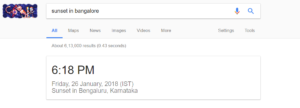 This is most crazy Google trick which I like the most. Calculating sunset or sunrise is very easy with the help of Google. Just by typing sunset in location name will give you the sunset or sunrise timings at the particular location. Example: “sunset in Delhi will give you the time of sunset in Delhi.”
-
Google keyword search:
 Particular keyword in a title can be searched in Google by typing “intitle: keyword” in the search bar. Example: “best movies in intile: 2016” and it will display the results accordingly.
-
Compare foods in Google:
 It is very easy to compare all foods in Google by typing “food1 vs food2”. Differences and benefits from the food will be given in the results.
-
Google currency converter:
 Google currency converter is the best currency converter on the internet. The result is displayed faster and accurately value has resulted. Just by typing the amount and type of currency, you can convert the currency easily in seconds.
-
Google distance comparison:
 The distance between any two places can be compared easily and estimated time of arrival also results in Google. Simply type distance between destination1 and destination 2 to get the distance and ETA.
-
Google travel time:
 Travel time between two places can be known with accuracy. Simply type travel time between place 1 and place 2 and press enter.
-
Google calculator:
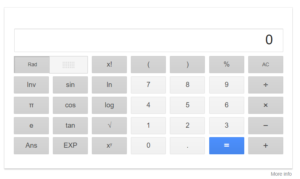 Google calculator is one of the best calculators as it performs almost all the type of calculations with accuracy and in less time. Just type “calculator” in the search bar and press enter.
-
Google translator:
 Google translator helps in translating any language into any other language. Type “translate your word to the language required”. Example: “translate children in French” and press enter. The result will give you children in the French language.
-
Google history:
 If you want to search for any particular site that you have visited before in Google, just go to history and you will find all the results that you have visited before. Web results that you have searched before can be known in Google history.
-
Tourist location search by Google:
 For all the tourist people, Google finds all the tourist locations around the place by typing “location name attractions”. Example: if you want to know tourist places in Delhi, just type Delhi attractions and press enter.
-
Google check spelling:
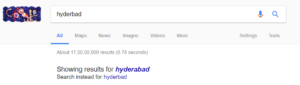 If you have typed any wrong keyword while searching, Google recommends the correct spelling and gives you the correct spelling result. Google will also recommend you the correct spelling of your keyword.
-
Google flight location:
 Google allows you to get the flight location between two locations. List of flights is displayed when you type flights between location1 and location2. You can select any of the flights as per the requirement.
-
Google temperature converter:
 Google allows you to convert temperature from Celsius to Fahrenheit or vice versa. The result of the conversion is simple and accurate.
-
Find my phone:
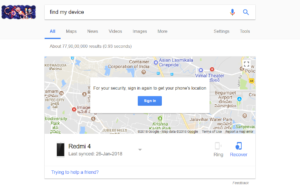 This is one of the useful tricks to find your phone. Just by login the Gmail account, you can track the address where your phone is. Just by simply typing find my phone in the search bar, you can get the address of your phone.
-
Google location finder:
 Google helps to locate the address which the user has to locate. Simply by typing the PIN code, you can find the complete address which you have queried Google. It is very simple and easy to locate the address.
-
Google international timing converter:
 If you want to know the timings of any other country, you can simply convert the timings to the required time. Example “convert IST to GMT” will give you the result of converting IST time to GMT.
-
IP address:
 IP address of your system is known by just simply typing “IP address” in the search bar. The result will display the IP address of your system.
-
Do a barrel roll:
 This is a funny Google trick which will rotate your screen till the results is displayed. It is one of the funniest Google tricks.
-
Google play an offline game:
 You can play the offline game when the internet server is lost. This is an interesting feature which helps the user to play games in offline and thus does not make them bored when there is no internet service.
-
Google follow stocks:
 If you want to know any information about the stock, you can simply type “Stock: Company code” in the search bar. The complete information on the company will be displayed with graphical representation.
-
Google temperature forecast:
 Temperature forecast for a particular location can be known by Google easily and quickly. Just type “forecast in location” will give you the results. Example: “forecast in Delhi” will give you the temperature forecasted in Delhi.
Funny google tricks | Google hidden tricks and secrets :
Hence these were the coolest and funniest google tricks and secrets which can make your time on google even lively. If you guys came across any cooler hidden google secret then do share that with us through the comment below. We shall update this post by adding that trick to the list. Also, let us know your experience while reading this article or even if simply you want to get in touch with us. We will be more than happy to reply you back.
Thank you. Keep Smiling 🙂
New Google Tricks Added in 2024-2026
Google keeps adding cool hidden features every year. Here are some newer Google tricks you probably haven’t tried yet:
28. Google Lens — Search What You See
Open Google and tap the camera icon in the search bar to use Google Lens. Point your camera at anything — a plant, a product, text in another language, or a restaurant menu — and Google will identify it instantly. You can also search with screenshots from your gallery.
29. Google’s Built-In Unit Converter
Type any unit conversion directly into Google search: “100 USD to EUR”, “5 km to miles”, “180 lbs to kg”, or “100°F to Celsius”. Google shows an interactive converter widget where you can change the values directly without leaving the search results.
30. Google Timer and Stopwatch
Search “set timer 10 minutes” or “stopwatch” directly in Google. A fully functional timer or stopwatch appears right in the search results. No app needed — perfect for cooking, workouts, or presentations.
31. Google Flights Price Tracker
Search “flights from [city] to [city]” in Google and you’ll get an interactive flight search tool right in the results. You can filter by date, airline, stops, and price. Google even shows a price calendar to find the cheapest travel dates.
32. Track Your Packages
Paste any UPS, FedEx, USPS, or DHL tracking number directly into Google search. Google will display the package status and expected delivery date without you needing to visit the carrier’s website.
33. Google’s Color Picker
Search “color picker” in Google and an interactive color picker wheel appears in the results. You can select any color and Google shows you the corresponding HEX, RGB, HSL, and CMYK values. Extremely useful for designers and developers.
34. Sunrise and Sunset Times
Search “sunset time [city]” or “sunrise [city]” and Google shows you the exact time of sunrise and sunset for that location today, along with the times for the coming days. Works for any city worldwide.
35. Google’s “I’m Feeling Lucky” Trick
Type your search query and instead of pressing Enter, click “I’m Feeling Lucky” and Google takes you directly to the top result — skipping the results page entirely. It’s a fast shortcut when you know exactly what site you’re looking for.
36. Translate Words Inline
Search “translate [word] to [language]” in Google and you get an interactive translator right in the search results. You can type any text and it translates in real time. Supports over 100 languages with speech output for pronunciation help.
37. Check If a Site Is Down
Search “is [website] down?” (e.g., “is Twitter down?”) and Google will show you the current status of the site and recent outage reports from other users. You can instantly see if a site is having a global outage or if the problem is just on your end.
Final Thoughts
Google is far more than just a search engine. From a built-in calculator and unit converter to augmented reality tools and flight trackers, these Google tricks and secrets can save you a significant amount of time every day. Bookmark this page — we’ll keep adding new Google Easter eggs and hidden features as Google releases them.
![This Video Is Not Available In Your Country Fix [Working Methods] video not available 1](https://techweed.net/wp-content/uploads/2018/02/video-not-available-1.png "This Video Is Not Available In Your Country Fix [Working Methods] Internet Tricks")