ERR_QUIC_PROTOCOL_ERROR on a Cloudflare site: what breaks HTTP/3, and how to fix it
Test record
- Tested on
- Our live site behind Cloudflare (HTTP/3 on), with a test relay on a MacBook that blocked or damaged UDP
- Versions
- Chrome 155.0.8059.85 on macOS 27.0.1, Cloudflare HTTP/3 (alt-svc h3, ma=86400)
Short answer
Chrome's HTTP/3 runs on QUIC, which uses UDP, and ERR_QUIC_PROTOCOL_ERROR means something on the way blocked, cut off or damaged those packets. On a site behind Cloudflare, that part of the trip runs between the visitor and Cloudflare, not your server. Reload once: in our tests, Chrome switched to normal HTTPS after a failure. If it keeps happening, turn off the VPN, firewall or security app, try another network, or set Experimental QUIC protocol to Disabled in chrome://flags.
On this page
ERR_QUIC_PROTOCOL_ERROR means Chrome’s HTTP/3 connection broke. HTTP/3 runs on a protocol called QUIC, which travels over UDP instead of the usual TCP, and some networks handle UDP badly. We broke HTTP/3 on purpose, on our own site behind Cloudflare, to see when Chrome recovers by itself, when it shows this error, and what actually fixes it. Pull the right weed: on a Cloudflare site, the problem is almost never your server.
What you’ll see
Usually a grey Chrome page that says This site can’t be reached, that the page “might be temporarily down or it may have moved permanently”, and under that ERR_QUIC_PROTOCOL_ERROR.
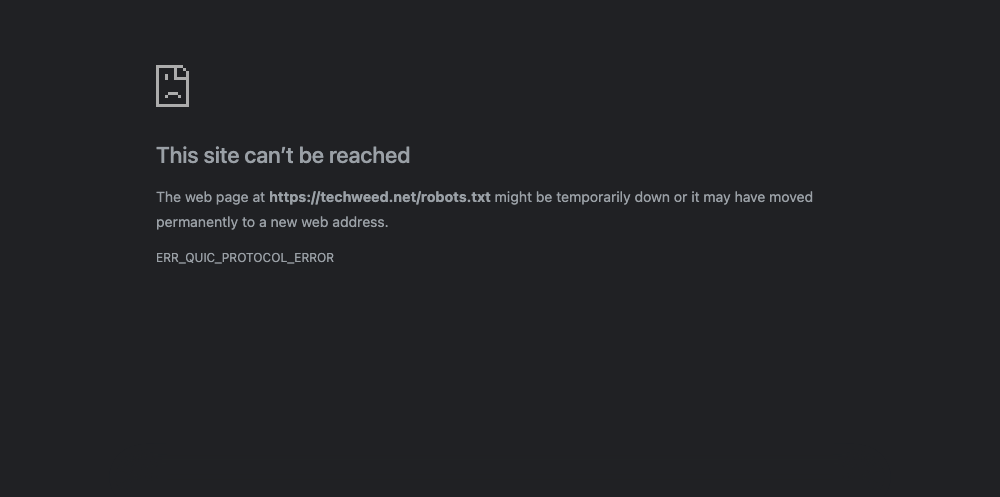
Sometimes there’s no error page at all. A page, image or download just stops halfway. Chrome only names the cause in its developer tools: press F12, open the Network tab, and look for a request marked as failed with net::ERR_QUIC_PROTOCOL_ERROR.
What it means
Chrome first connects to a site over normal HTTPS. If the site answers with an alt-svc header that mentions h3, Chrome remembers that HTTP/3 is available and tries it on later visits. Ours sends alt-svc: h3=":443"; ma=86400, which means “HTTP/3 on port 443, remember this for a day”.
On a site behind Cloudflare, HTTP/3 only runs between the visitor and Cloudflare. Cloudflare’s docs say its HTTP/3 setting doesn’t cover the connection to your own server. So when HTTP/3 breaks, the problem is somewhere between the visitor and Cloudflare: their network, firewall, VPN or security software. Your nginx, PHP and WordPress aren’t part of it.
How we reproduced it
Rahul ran these tests on 22 October 2026, using Chrome 155 on his Mac and our live site, techweed.net, where Cloudflare’s HTTP/3 is on. He didn’t change anything in Cloudflare. Instead, he sent Chrome’s traffic for our site through a small relay on his Mac. The relay passed everything to Cloudflare, except that it could block, cut off or damage the UDP packets, the way a strict firewall, a VPN or an unreliable network does. Each test loaded only our robots.txt file or one image, so no ads or analytics ran.
First, with Chrome forced to use only HTTP/3 (a test switch that shows the raw error):
- Blocking UDP completely gave ERR_QUIC_PROTOCOL_ERROR.
- Stopping packets partway through the handshake gave the same error.
- Damaging packets after the handshake gave it too.
- So did a network path that drops packets bigger than 1,200 bytes. Chrome’s first packets were 1,250 bytes, and QUIC needs at least 1,200 to start.
Then in normal Chrome, which tries HTTP/3 and normal HTTPS side by side:
- With UDP blocked completely, there was no error. Every load quietly used normal HTTPS.
- With packets stopped or damaged right after the handshake, there was no error either. The page took a few seconds longer, then loaded over normal HTTPS.
- On a path that drops packets bigger than 1,200 bytes, HTTP/3 never got started, so every load used normal HTTPS with no error.
- When packets were stopped or damaged in the middle of a download (a 350 KB image), that image failed with ERR_QUIC_PROTOCOL_ERROR. Chrome was already receiving it over HTTP/3, so it couldn’t quietly switch. The next load used normal HTTPS and worked.
So in everyday use, you see this error when HTTP/3 has already started working and something then breaks it mid-transfer. A network that simply blocks UDP doesn’t cause it, because Chrome falls back by itself.
Which fix applies to you
- If it happened once, reload. In our tests, Chrome switched to normal HTTPS after a failure, and the next load worked.
- If it keeps happening for you, but not on other networks, something on your side is mishandling UDP. See Fixes on your side.
- If it’s your site and visitors report it, see Fixes for site owners on Cloudflare.
Fixes on your side
1. Reload once
After a QUIC failure, Chrome stops using HTTP/3 for that site for a while and goes back to normal HTTPS. In our test, the very next load worked.
2. Switch off whatever sits in the middle
VPNs, firewalls, antivirus “web protection” and some office or school networks block or interfere with UDP. Turn each one off, reload, and turn it back on. Then try another network, such as your phone’s mobile data. If the error stops on the other network, the first network is the cause.
3. Turn off QUIC in Chrome
If you’re on a network you can’t change, tell Chrome not to use QUIC at all. Open chrome://flags/#enable-quic, set Experimental QUIC protocol to Disabled, and click Relaunch. With QUIC off in our test, every load used normal HTTPS, even though our site offers HTTP/3. Set it back to Default once you’re on a better network, so Chrome can use HTTP/3 again.
Fixes for site owners on Cloudflare
1. Check whether your site offers HTTP/3
curl -sI https://example.com/ | grep -i alt-svcOurs printed alt-svc: h3=":443"; ma=86400, which means HTTP/3 is on. No output means it’s off, and then this error can’t come from your site’s HTTP/3.
2. Don’t debug your server for this
Behind Cloudflare, your server talks to Cloudflare over TCP, never QUIC. Changing nginx, PHP or WordPress settings won’t change a QUIC error. Ask the visitor which network they were on and whether a VPN or security app was running. If the reports all come from one company or one internet provider, that network is the cause.
3. Turn off HTTP/3 in Cloudflare, as a last resort
If many of your visitors sit behind a network that breaks QUIC, you can stop offering HTTP/3. In the Cloudflare dashboard, open Speed, then Settings, then Protocol Optimization, and switch off HTTP/3 (with QUIC). Cloudflare then stops sending the alt-svc header, and browsers stay on normal HTTPS. Browsers that already saw the header can remember it for up to its ma time, a day in our case. We didn’t switch it off on our own site for this guide, so the menu path comes from Cloudflare’s docs.
For most sites this isn’t needed. In our tests, Chrome fell back to normal HTTPS on its own, and visitors on good networks get faster connections with HTTP/3.
Check it’s fixed
- Load the page twice. No ERR_QUIC_PROTOCOL_ERROR, and nothing stops halfway.
- To see which protocol Chrome used, press F12 and open Network. Right-click a column header and turn on Protocol.
h3means HTTP/3;h2means normal HTTPS. - If you turned off HTTP/3 in Cloudflare, the curl command in owner step 1 prints nothing.
Undo
- In Chrome, set Experimental QUIC protocol back to Default and relaunch.
- In Cloudflare, switch HTTP/3 (with QUIC) back on in the same place.
What didn’t work
Looking at the server. Every failure we caused was between Chrome and Cloudflare, and normal HTTPS to the same site kept working throughout.
The older version of this guide suggested changing Windows LAN settings, removing extensions, an “automatic repair” tool and updating drivers. We didn’t re-run those, and removed them. Turning QUIC off in Chrome, which it also mentioned, is the one that holds up, and it’s now step 3 above.
Related errors
ERR_HTTP2_PROTOCOL_ERRORandERR_EMPTY_RESPONSEare the same kind of “cut off” problem over normal HTTPS, often caused by the server. See our ERR_EMPTY_RESPONSE guide.DNS_PROBE_FINISHED_NXDOMAINmeans Chrome couldn’t find the site’s address at all. See our NXDOMAIN guide.
Sources
- Chromium source: net_error_list.h (QUIC_PROTOCOL_ERROR, “There is a QUIC protocol error”) and about_flags.cc (the
enable-quicflag) - Cloudflare docs: HTTP/3 (with QUIC) (where the setting is, and that it doesn’t cover the connection to your server)
- RFC 9000, section 14.1: QUIC’s 1,200-byte minimum packet size
- RFC 7838, section 3.1: how long browsers remember an
alt-svcheader (ma) - Our test log from 22 October 2026 (relay packet counts, Chrome’s network events and screenshots), kept with this guide
Changelog
22 Oct 2026: rewritten from scratch after testing HTTP/3 failures on our own Cloudflare site with Chrome 155. It now explains when Chrome recovers by itself and covers site owners on Cloudflare. Removed the 2018 advice that has nothing to do with QUIC. First published 16 Mar 2018.